Updated Anthology 更新文集
KDS2.0
后台
QMS adjust QMS调整
KDS adjust KDS调整
KDS Cuts Dishes KDS单菜品划菜
Double points configuration 翻倍积分
Coupon not available time 优惠券不可用时间
Sync the coupon unusable time 同步优惠券不可使用时间
-
+
首页
KDS adjust KDS调整
**Move the QMS settings to display only the KDS settings 将QMS有关设置移动,只展示KDS相关配置设置** ## adjust 调整 将QMS有关的配置,移动到‘QMS’插件中,点击能够进行跳转设置 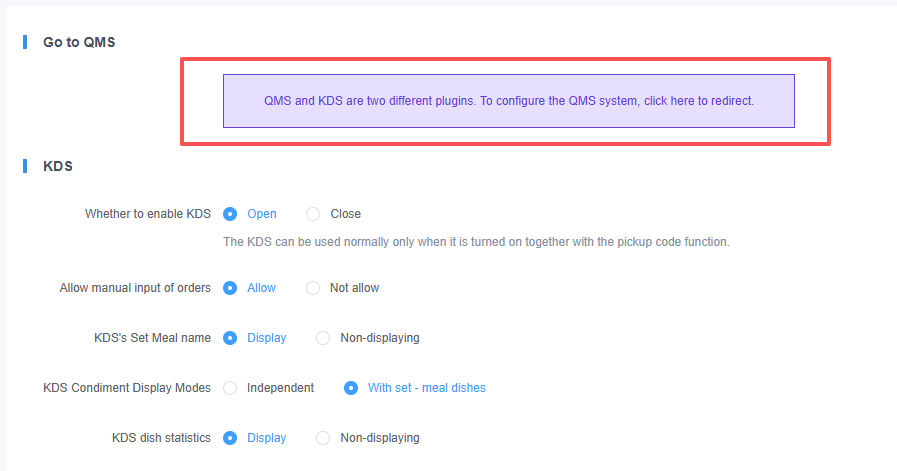 ## New 新增 ### 1.Change the display style 更换展示样式 #### ①Display by Product 按商品展示 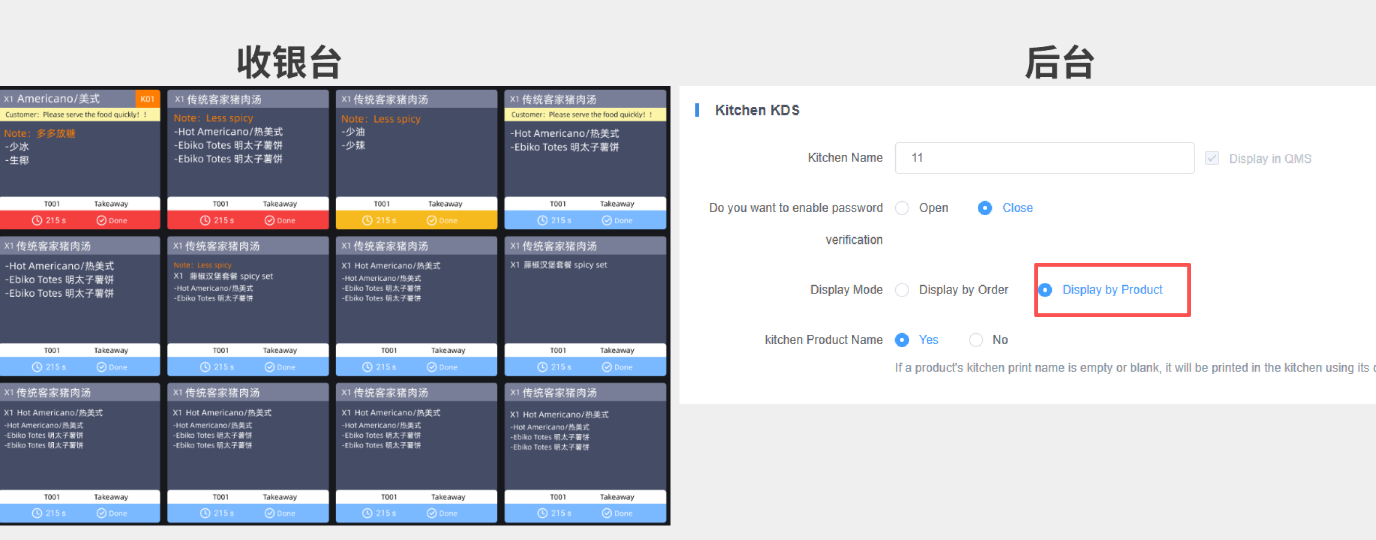 #### ②Display by Order 按订单展示 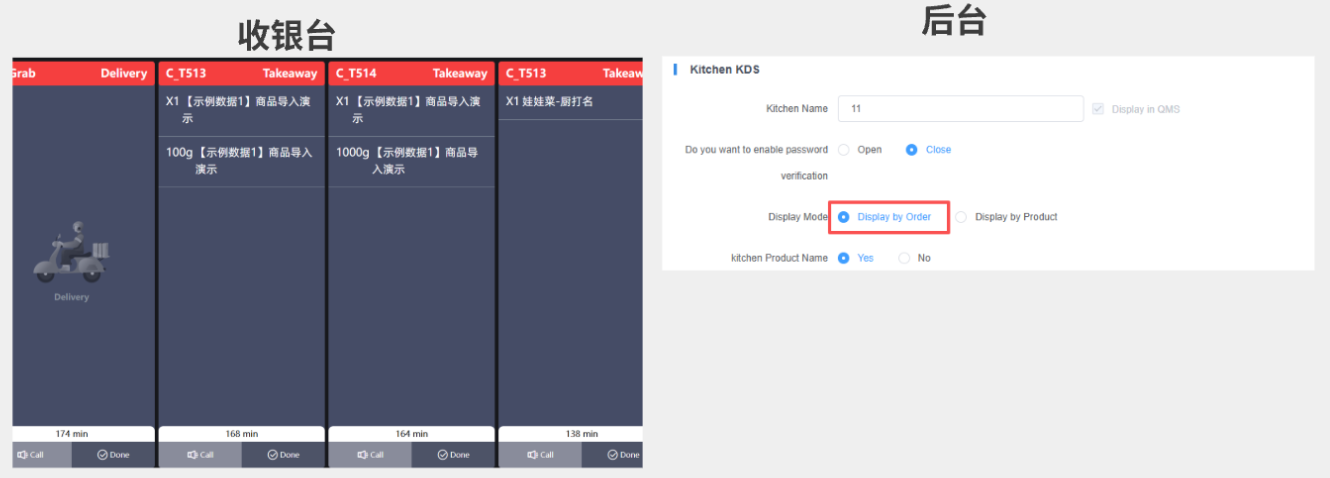 ### 2.Timeout color setting (min=1-max=6) 超时颜色设置(min=1-max=6) #### ① Click '+Add' 点击‘+Add’ Perform the Add Timeout Time Period 进行添加超时时间段设置 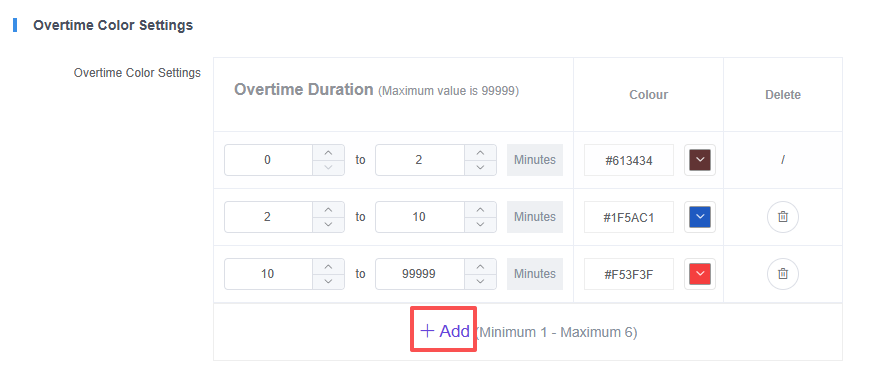 #### ②Set the time 设置时间 Set the time period for which the color is displayed 设置时间显示颜色的时间段 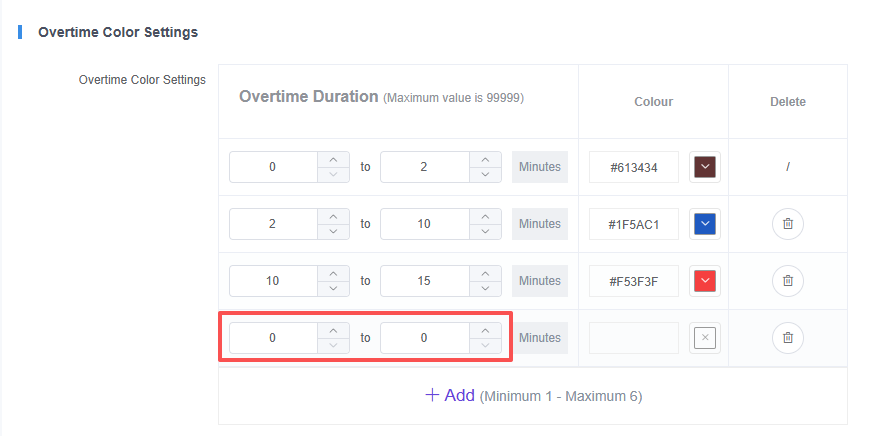 #### ③Set the color 设置颜色 Click on the 'color icon' to select the color, and click 'OK' to confirm the color selection 点击‘颜色图标’进行选择颜色,点击‘OK’确定选择颜色 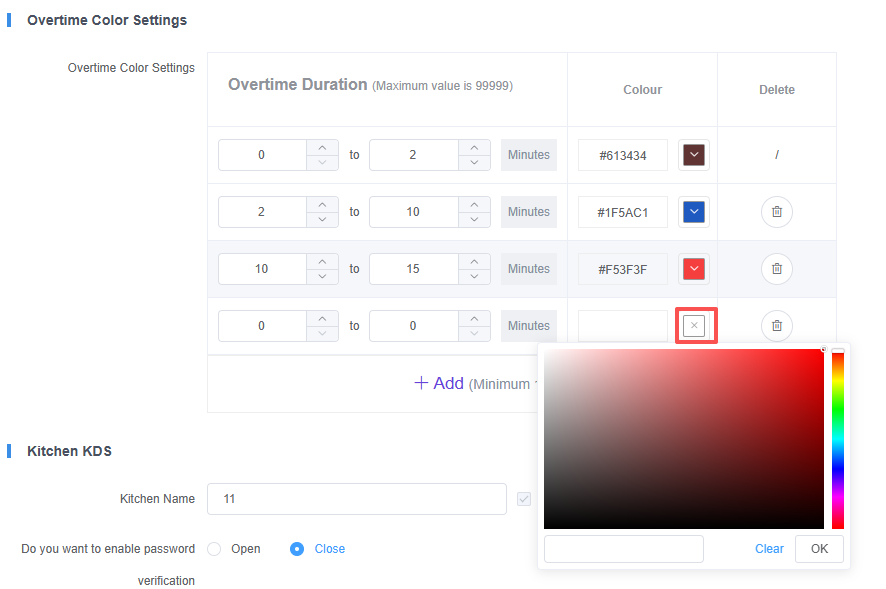 #### ④Save the configuration 保存配置 Click 'Submit' to confirm the save configuration 点击‘提交’确定保存配置 
pos
2025年10月22日 17:52
转发文档
收藏文档
上一篇
下一篇
手机扫码
复制链接
手机扫一扫转发分享
复制链接
Markdown文件
PDF文档(打印)
分享
链接
类型
密码
更新密码